
Photo and image editor right in your browser
Layers, masks, retouching, curves, filters, text and batch processing of hundreds of photos. No install, no sign-up – and your files never leave your computer.
- Free
- No upload
- No cookies
- Works offline
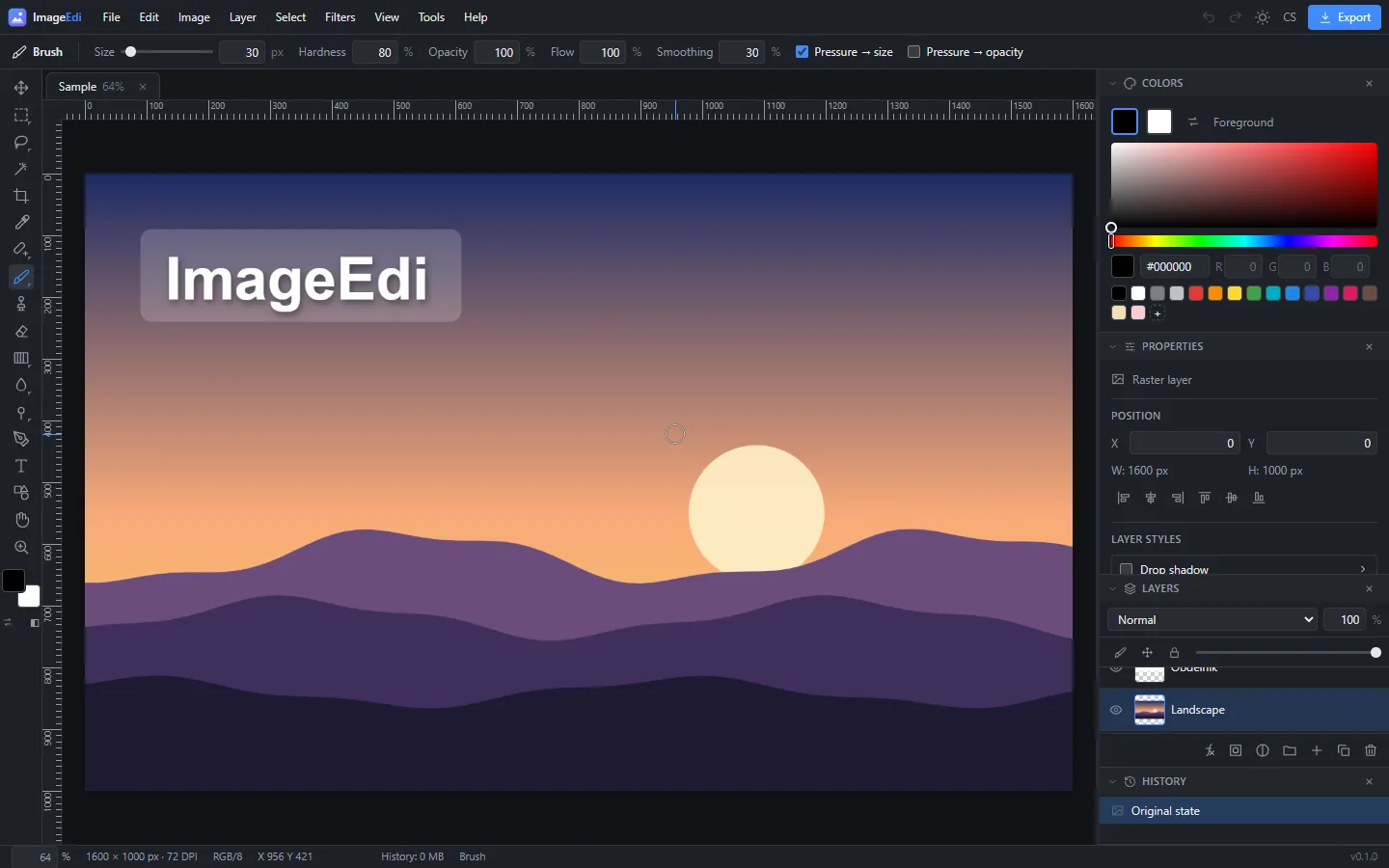
Everything you expect from a photo editor
Layers, masks and groups
Raster, text and vector layers, adjustment layers, 16 blend modes, layer masks, locks and layer styles (shadow, glow, stroke).
Photo adjustments
Exposure, highlights & shadows, white balance, curves, levels, HSL, vibrance, clarity, dehaze, vignette and grain – also non-destructive.
Professional retouching
Clone stamp, healing and spot healing brush, red-eye removal, blur, sharpen, smudge, dodge and burn tools.
Precise selections
Rectangle, ellipse, lasso, polygonal lasso, magic wand and color range. Feather, expand, contract and selection from masks.
Filters and effects
Gaussian, motion and radial blur, unsharp mask, noise reduction, oil paint, emboss, glow, bloom, distortions and more.
Text, shapes and paths
Editable text with your computer’s fonts, shapes, stars and Bézier paths with the pen tool. Everything stays editable.
Batch processing
Hundreds of photos at once: Lanczos resizing, format conversion, compression to a target size, renaming, watermark and ZIP export.
Privacy first
No upload, no account, no cookies. Your work-in-progress is backed up only in your browser, and it works offline.
Batch processing like a pro resampler
Shrink hundreds of photos for the web or e-mail in one go. High-quality Lanczos resampling with sharpening, conversion to JPEG, PNG or WebP, compression to a target file size, aspect-ratio cropping, EXIF auto-rotation, metadata removal, pattern renaming and watermarks. Processing runs in parallel threads and can be cancelled at any time.
Non-destructive workflow
Adjustment layers, masks and editable text mean you can always get back to the original photo. The history panel lets you return to any step, and the whole document is saved to an .imageedi project (a ZIP with a manifest and lossless layers). Work in progress is also backed up continuously in your browser.
Supported formats
✓ full support · ◐ partial or browser-dependent · – not supported
| Format | Open | Save | Layers | Metadata | Notes |
|---|---|---|---|---|---|
| JPEG | ✓ | ✓ | – | ✓ | EXIF can be kept on export; DPI in the JFIF header; EXIF orientation is applied when opening. |
| PNG | ✓ | ✓ | – | ◐ | Lossless with transparency; DPI (pHYs) is read and written. APNG opens as its first frame. |
| WebP | ✓ | ◐ | – | – | Export supported in Chrome, Edge and Firefox. Animated WebP opens as its first frame. |
| AVIF | ◐ | ◐ | – | – | Opens in all modern browsers; export only where the browser can encode it. |
| GIF | ✓ | ✓ | – | – | The first animation frame opens. Exports a single frame with a 256-color palette and transparency. |
| BMP | ✓ | ✓ | – | – | 1/4/8/16/24/32-bit uncompressed; exports 24-bit or 32-bit with alpha. |
| TIFF | ✓ | ✓ | ◐ | – | Multi-page TIFF opens as layers. Exports 8-bit RGBA, uncompressed. |
| ICO | ✓ | ✓ | – | – | The largest icon opens. Exports multiple sizes (16–256 px) at once. |
| PSD | ◐ | ◐ | ✓ | – | Raster layers, groups, opacity, blend modes and masks. Text, adjustment layers and smart objects are loaded as raster. |
| SVG | ✓ | – | – | – | Rendered to raster at a suitable resolution when opened. |
| HEIC / HEIF | ◐ | – | – | – | Only in browsers with a built-in decoder (Safari). Other browsers cannot open HEIC. |
| RAW (CR2, NEF, ARW, DNG…) | – | – | – | – | Not supported yet – an interface for a WebAssembly decoder is prepared. |
| ImageEdi project | ✓ | ✓ | ✓ | ✓ | ZIP with a JSON manifest and lossless data of all layers, masks, text, shapes and adjustment layers. |
Frequently asked questions
Is ImageEdi really free?
Yes. The editor and batch processing are free, with no sign-up, no watermark and no limit on the number of images.
Are my photos uploaded to a server?
No. Images are opened and edited only in your browser. Nothing is sent to a server – once loaded, the editor even works offline.
Which formats can it open and save?
It opens JPEG, PNG, WebP, AVIF, GIF, BMP, TIFF, ICO, PSD (with layers) and SVG. It saves JPEG, PNG, WebP, GIF, BMP, TIFF, ICO, PSD and its own .imageedi project; AVIF where the browser supports it. HEIC opens only in browsers that support it natively (Safari).
Is editing non-destructive?
Yes, if you want it to be. Color and tone corrections can be added as adjustment layers with masks, text and shapes stay editable, and the whole layered document can be saved as an .imageedi project.
What if I close the tab by accident?
Open documents are backed up continuously to your browser’s storage. The next time you open the editor, ImageEdi offers to restore them.
How do I resize many photos at once?
Open Batch processing, drop your photos or a whole folder, choose the size (e.g. long side 1920 px), format and quality, then click Process. You get a ZIP file or the images saved straight into a folder.
Does it work on mobile?
Yes, phones and tablets get a simplified touch interface for everyday edits. For advanced work with layers we recommend a computer with a larger screen.
Start editing
Drop a photo into the editor – nothing to install, nothing uploaded.